
Linking Between Your Own PagesOne exception to the rule earlier about needing to include http:// before each address specified in the HRef attribute is when you're dealing with links between files on the same computer or web server. When you create a link from one page to another page on the same computer, it isn't necessary to specify a complete Internet address. In fact, if the two pages are stored in the same folder, you can simply use the name of the HTML file by itself: <a href="pagetwo.html">click here to go to page 2.</a> As an example, Listing 3.2 and Figure 3.3 show a quiz page with a link to the answers page in Listing 3.3 and Figure 3.4. The answers page contains a link back to the quiz page. Because the page in Listing 3.2 links to another page in the same directory, the filename can be used in place of a complete address. Listing 3.2. Linking to Another Page in the Same Directory
<?xml version="1.0" encoding="UTF-8"?>
<!DOCTYPE html PUBLIC "-//W3C//DTD XHTML 1.1//EN"
  "http://www.w3.org/TR/xhtml11/DTD/xhtml11.dtd">

<html xmlns="http://www.w3.org/1999/xhtml" xml:lang="en">
  <head>
    <title>History Quiz</title>
  </head>

  <body>
    <h1>History Quiz</h1>
    <p>
      Complete the following rhymes. (Example: William the Conqueror played
      cruel tricks on the Saxons in... ten sixty-six.)
    </p>
    <p>
      1. Columbus sailed the ocean blue in...<br />
      2. The Spanish Armada met its fate in...<br />
      3. London burnt like rotten sticks in...<br />
      4. Tricky Dickie served his time in...<br />
      5. Billy C. went on a spree in...
    </p>
    <p>
      <a href="answers.html">Click here for answers.</a>
    </p>
  </body>
</html>
Listing 3.3. This Is the answers.html file; Listing 3.2 Is quizzer.html, to Which This Page Links Back
<?xml version="1.0" encoding="UTF-8"?>
<!DOCTYPE html PUBLIC "-//W3C//DTD XHTML 1.1//EN"
  "http://www.w3.org/TR/xhtml11/DTD/xhtml11.dtd">

<html xmlns="http://www.w3.org/1999/xhtml" xml:lang="en">
  <head>
    <title>History Quiz Answers</title>
  </head>

  <body>
    <h1>History Quiz Answers</h1>
    <p>
      1. ...fourteen hundred and ninety-two.<br />
      2. ...fifteen hundred and eighty eight.<br />
      3. ...sixteen hundred and sixty-six.<br />
      4. ...nineteen hundred and sixty-nine.<br />
      5. ...nineteen hundred and ninety-three.
    </p>
    <p>
      <a href="quizzer.html">Click here for the questions.</a>
    </p>
  </body>
</html>
Figure 3.3. This is the quizzer.html file listed in Listing 3.2 and referred to by the link in Listing 3.3.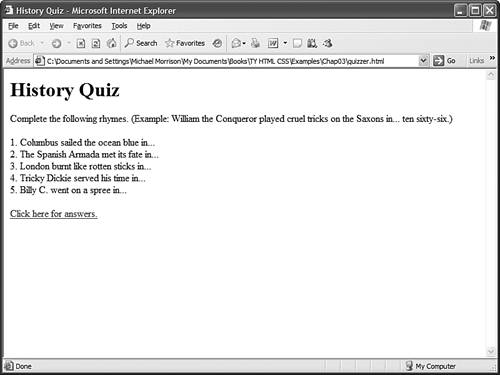 Figure 3.4. Click here for answers in Figure 3.3 takes you here. Click here for the questions in this figure takes you back to what's shown in Figure 3.3.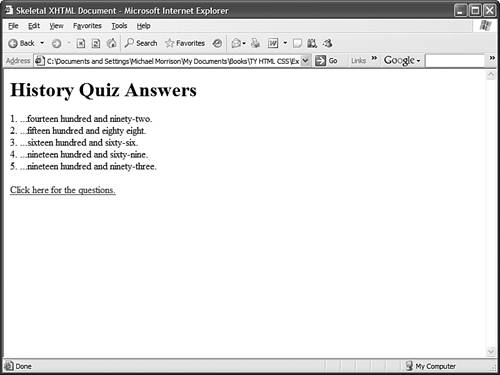 Using filenames instead of complete Internet addresses saves you a lot of typing. More important, the links between your pages will work properly no matter where the group of pages is stored. You can test the links while the files are still on your computer's hard drive. You can then move them to a computer on the Internet, or to a CD-ROM, DVD, or memory card, and all the links will still work correctly. There is nothing magic about this simplified approach to identifying web pagesit all has to do with web page addressing, which you'll learn about next.
|