
The Least You Need to Know About ScriptingWeb page scripting allows you to access styles and content of elements in a web page. To develop your own custom scripts, you'll need to use a scripting language such as JavaScript or VBScript. Instead of teaching you a scripting language, which definitely would be beyond the scope of this lesson, I'll present you with some short scripts you can use in your own web pages. Script programming isn't terribly hard to learn, but it's best that you wait to tackle it until you've gotten really comfortable with HTML and CSS. The primary scripting language in use on the Web is JavaScript. All the scripts in this hour were developed in JavaScript, but you don't need to worry too much about the details of each script; I'll point out the important parts to give you a feel for how they work. You may be surprised at how simple some scripts can be. If you happen to have any experience with the Java or C++ programming languages, you'll find JavaScript somewhat familiar. Even if you don't have any programming experience, you shouldn't have trouble incorporating an existing script into your own pages by copying and pasting code. As you might guess, a special HTML tag is used to add scripts to web pages. The <script> tag encapsulates scripting code. Some older web browsers don't support scripts, so to be extra cautious you can use a little trick when placing script code in the <script> tag. Just enclose the script code inside an HTML comment, as the following example demonstrates:
<script type="text/javascript">
  <!-- Hide the script from old browsers
  alert("Hello!");
  // Stop hiding the script -->
</script>
In this brief script, the <!-- code that signifies the start of a comment is used just before the single line of script code. Following the script code is the --> code that ends the comment. The script code displays an alert message of Hello!, as shown in Figure 17.1. Figure 17.1. The Hello script simply displays a hello message in a dialog box.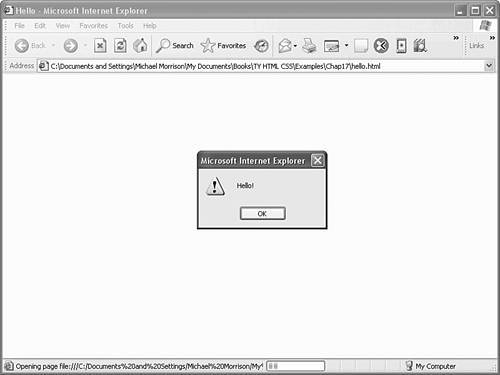 The Hello sample web page simply shows how to create a minimal script that displays an alert message. The primary way that scripts provide interactivity is by responding to actions taken by the user. For example, if the user clicks the mouse button or presses a key on the keyboard, the script might respond by changing the appearance of text or an image on the page. A user interaction such as a mouse click or key press is known as an event, and the process of a script taking action based on an event is known as event handling. You associate event-handling script code with elements on a web page using special attributes. Following are some of the commonly used event attributes that come in handy in JavaScript, along with a description of when they occur with respect to a web page element:
As you can see, event attributes are used to respond to common user input events such as mouse clicks and key presses. You associate script code with an event by assigning the script code to the event attribute, like this: <h1 onclick="this.style.color = 'red';">I turn red when clicked.</h1> In this example, script code is assigned to the onclick event attribute of an <h1> tag, which means that the code runs in response to the user clicking the left mouse button on the text. The script code responds by setting the color of the text to red. So interactivity is added to normally bland text by changing the color of the text in response to a mouse click. This is the basis for how many interactive scripts work. |