
Why Use HTML and CSS on eBay?When it comes to listing items for sale on eBay, you may wonder how HTML and CSS even enter the picture. eBay is simply an auction site, and it certainly has nothing directly to do with creating your own web pages. That's only because you've probably gotten comfortable thinking in terms of your web pages being created entirely by you. In fact, it is possible to create a portion of a page within someone else's web page, which is exactly what takes place on eBay.
When you list an item for sale on eBay, you have a great deal of control over the description, which is the portion of the auction listing that describes your item. Every eBay auction listing has standard boilerplate information that appears on the page before the description, as shown in Figure 20.1. Figure 20.1. Every eBay item page begins with boilerplate auction information that cannot be directly modified.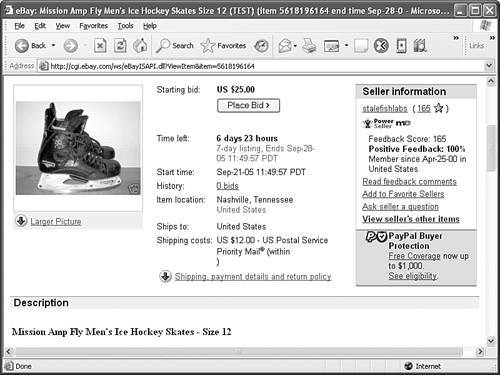 The information at the beginning of an eBay item page is gathered when you first list the item, and cannot be edited or modified via HTML or CSS. HTML and CSS enter the picture with the item description, which appears just below the standard auction information (see Figure 20.2). Figure 20.2. The item description is where you get an opportunity to jazz things up with HTML and CSS.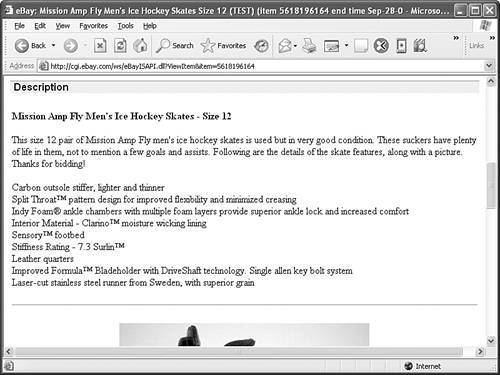 In this example, you see perhaps the most boring item description possible, consisting solely of a bold heading and unstyled text. An image does appear below the description, but it doesn't include a caption or border to help dress it up. Now flip ahead to Figure 20.6 to see how HTML and CSS can liven up an item listing to give it a bit more marketing appeal. This is the same auction listing with the careful addition of HTML and CSS code to make it more exciting. You build the item listing in Figure 20.6 as you progress through this lesson. Figure 20.6. Dynamically setting a background image for an auction item page can have a dramatic effect.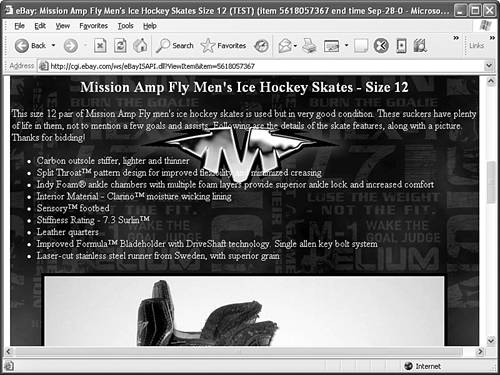 |