
Linking to an Audio or Video FileIf you'd like to provide links to media on your site, you can do so just as easily as linking an image. Many file types exist for audio and video, the most popular these days being the MP3, QuickTime, Real, and Windows Media files. You first place your media file into a subdirectory. As with images, this is a convention that helps you keep all your various files organized. In this case, I've named the subdirectory media (how's that for brilliant?) and placed two files in it, one an MP3 audio file and the other an .avi video file. Example 3-5 shows my document and how I've linked to my media files. Example 3-5. Linking to audio and video
<!DOCTYPE html PUBLIC "-//W3C//DTD XHTML 1.0 Transitional//EN"
     "http://www.w3.org/TR/xhtml1/DTD/xhtml1-transitional.dtd">

<html xmlns="http://www.w3.org/1999/xhtml" xml:lang="en">
<head>
<title>Chapter 3</title>
</head>

<body>

<a href="media/audio-sample.mp3">Link to Audio Sample</a><br />
<a href="media/video-sample.avi">Link to Video Sample</a>

</body>
</html>
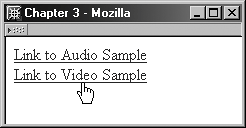
I've added text within the links and placed a break between the two links so they appear on top of one another rather than side by side, for the sake of clarity. This results in the links as shown in Figure 3-8. Figure 3-8. Links to audio and video samples.
So far, pretty easy, right? Well, there are a few more things to do with links to give visitors an easier time managing the audio and video.
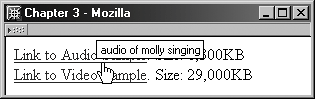
Because most audio and video clips are quite large, it's helpful to provide the file sizes on the page so visitors are prepared. You can do this by simply typing the details into the link or directly after it. NOTE Some folks even go so far as to provide a range of file sizes for their low-, medium-, and high-bandwidth visitors. Another way to assist is to place a description of the file into the title attribute of the link (see Figure 3-9). Figure 3-9. Providing helpful details for audio and video links.
This helps provide more detail to all and also alerts those folks who can't see or hear to understand what the link is for (see Example 3-6). Example 3-6. Adding details for your visitors<a href="media/audio-sample.mp3" title="audio of molly singing">Link to Audio Sample</a>. |
 Size: 1,300KB<br />
<a href="media/video-sample.avi" title="video of sarah's dance class">Link to Video Sample<
Size: 1,300KB<br />
<a href="media/video-sample.avi" title="video of sarah's dance class">Link to Video Sample<