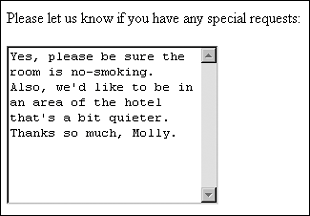
Working with Text AreasIn some instances, you want to provide an area for feedback or input that is more flexible than just a text input control, which supports only one line of text. Text areas are the perfect solution. Text areas are created using the textarea element along with the rows and cols attributes to determine a visible field. Unlike tables, the rows and columns in the instance of text areas define how the text area is managed. Rows determine how many rows of text the resulting box will allow, and columns define how wide the box is (see Example 5-9). Example 5-9. Creating a text area<form method="get" action="http://www.myserver.com/cgi-bin/mailscript/"> <p>Please let us know if you have any special requests:</p> <textarea rows="10" cols="25"> </textarea> </form> The resulting text area will have 10 rows and 25 columns (see Figure 5-10). I've added some text so you can see how it will appear when a visitor types text into the text area. Figure 5-10. Text areas make it easy for visitors to input additional comments without the restrictions of textboxes, check boxes, radio buttons, or menus.
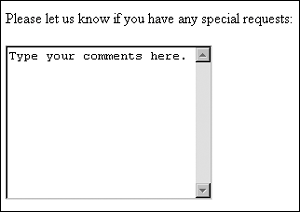
You can customize text areas a little more within the HTML, too. First, you might want to add the name attribute, which provides information that can be used by your form submission script to clarify its function. Additionally, you can add an id attribute so you can attach scripts to the text area, if you so desire (see Example 5-10). Example 5-10. A text area with name and id attributes<form method="get" action="http://www.myserver.com/cgi-bin/mailscript/"> <p>Please let us know if you have any special requests:</p> <textarea rows="10" cols="25" name="requests" id="requestbox"> </textarea> </form> Additionally, if you want to customize the text area a little more, you can type text into the text area markup: <textarea rows="10" cols="25" name="requests" id="requestbox"> Type your comments here. </textarea> Your visitors will now see the text within the box. When they click in the box, they can remove your text and add their own (see Figure 5-11). Figure 5-11. Text area with customized information to assist the site visitor.
|