
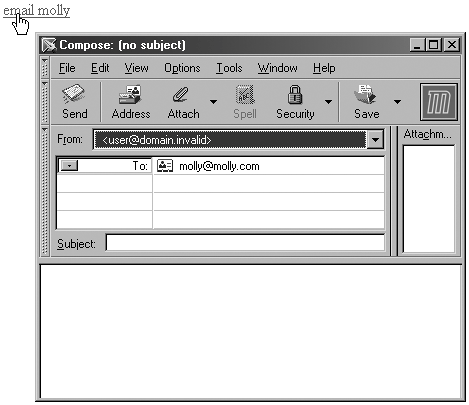
Email LinksAn email link is just like a standard link, except that, instead of sending you to another page, the link opens the associated email application so you can email the individual directly. Email links are especially useful for contact emails for individuals, staff members on a company site, and customer service and support feedback. Email links use the mailto: attribute along with the HRef attribute and the recipient's email address to accomplish this function (see Example 2-12). Example 2-12. Using the mailto: attribute to create an email link<a href="mailto:molly@molly.com">email molly</a> Figure 2-11 shows the results. Figure 2-11. Clicking on a mailto: link opens your email software and inserts the email address into the To field.
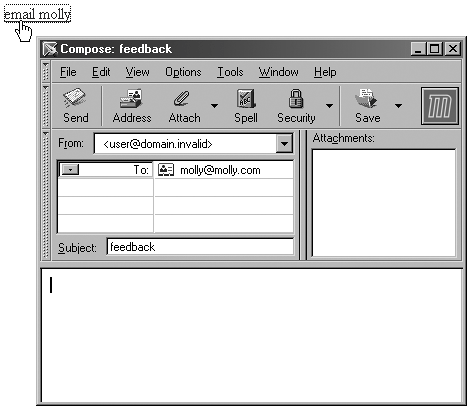
If you'd like to make your link a little more user-friendly, you can also add a subject line by following the email address with a question mark (?) and the subject attribute and value (see Example 2-13). Example 2-13. Adding a subject to the email<a href="mailto:molly@molly.com?subject=feedback">email molly</a> Figure 2-12 displays the results. Figure 2-12. Mailto: link with subject line added.
You'll want to consider accessibility features for your links as well, especially the title attribute and a description, and tabindex if the sequential order of links on a given page is particularly important to your site visitors (see Example 2-14). Example 2-14. Adding accessibility features to mailto: links<a href="mailto:molly@molly.com?subject=feedback" title="email molly regarding book The title text now appears in a ToolTip as the mouse passes over the link. The tabindex is set to 3, so the site visitor can press the Tab key three times to reach the link, a very helpful offering to those individuals with mobility impairments. |
 feedback" tabindex="3">email molly</a>